Never lose trackof a customer again.
A follow-up tool for small sales teams. Who to call today, who is overdue, who is going cold, who still owes you, who is worth another try: it is all listed for you.
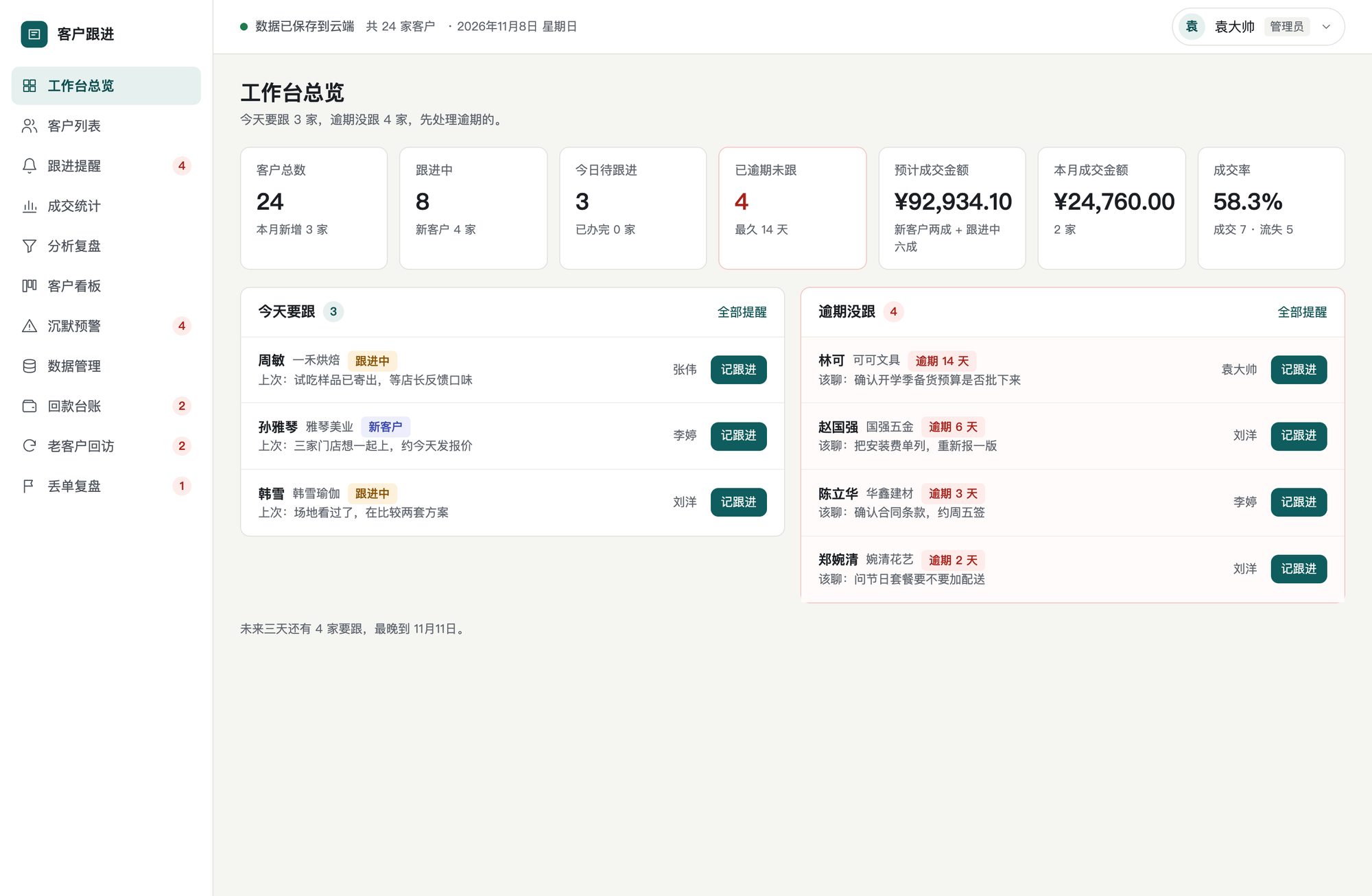
Open it each morning and know exactly what to do
No memory games, no spreadsheets. Four things done well, so no customer slips through.
Reminder-driven
Overdue, today and the next three days, grouped. Overdue items stay until you really act on them.
From deal to payment
Payment terms are set at closing. See what is owed and how late, until the money is in.
Lost deals come back
Seven fixed loss reasons. When the suggested wait is up, you get a nudge to try again.
Role-based access
Admins see everything; sales see and edit only their own customers, enforced on the server.
One line, from first call to repeat business
A customer has only four statuses, and every action revolves around them.
- 01Log follow-upsWhat you talked about, when to call next
- 02Move the stageNew or in progress: drag the card
- 03Close the dealAmount and terms go to the payment ledger
- 04Collect paymentRecord each one; overdue turns red
- 05RevisitPeriodic check-ins, with upsells counted
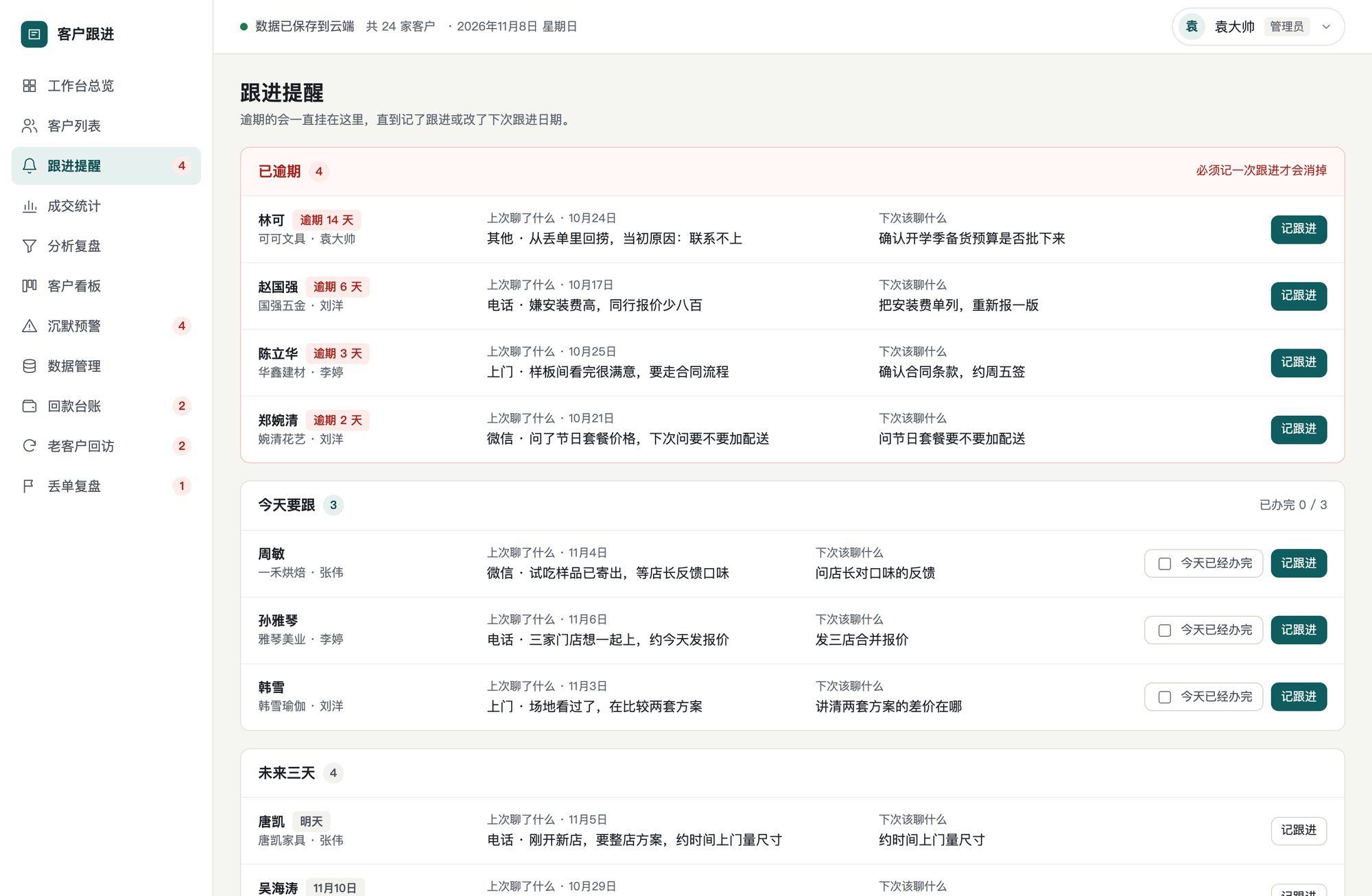
Overdue never quietly disappears
Three groups: overdue, today, next three days. Each shows what you last discussed and what to bring up next.
- Overdue stays until you log a follow-up or reschedule
- Tick off today’s calls to hide them for the day
- Silence alerts rank customers by health score
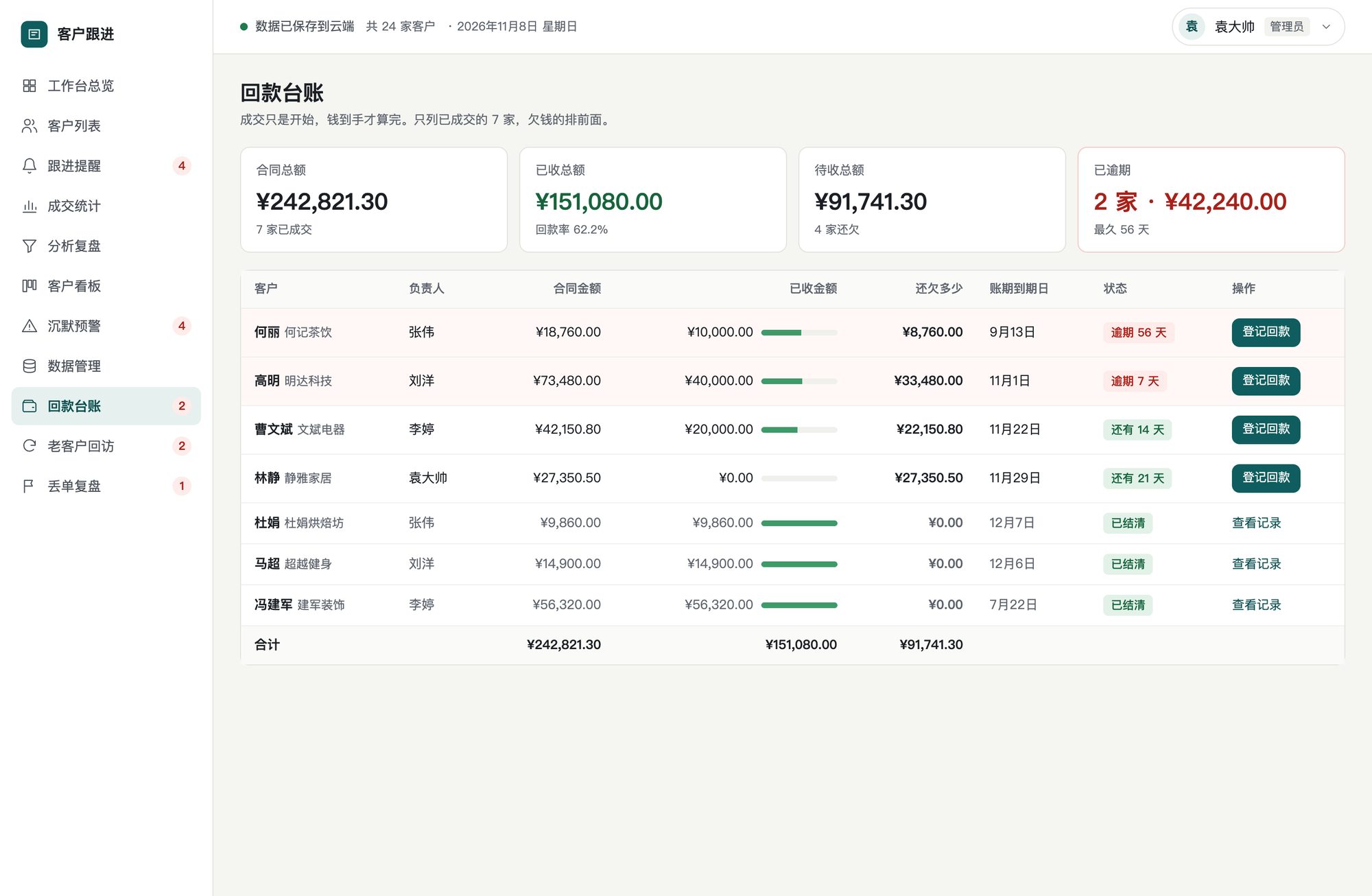
A deal is done when the money is in
Only closed customers, each with contract, received, outstanding and due date. Those who owe come first.
- Overdue in red, not yet due in green
- Every payment with date, amount and method
- Totals for outstanding and overdue at the top
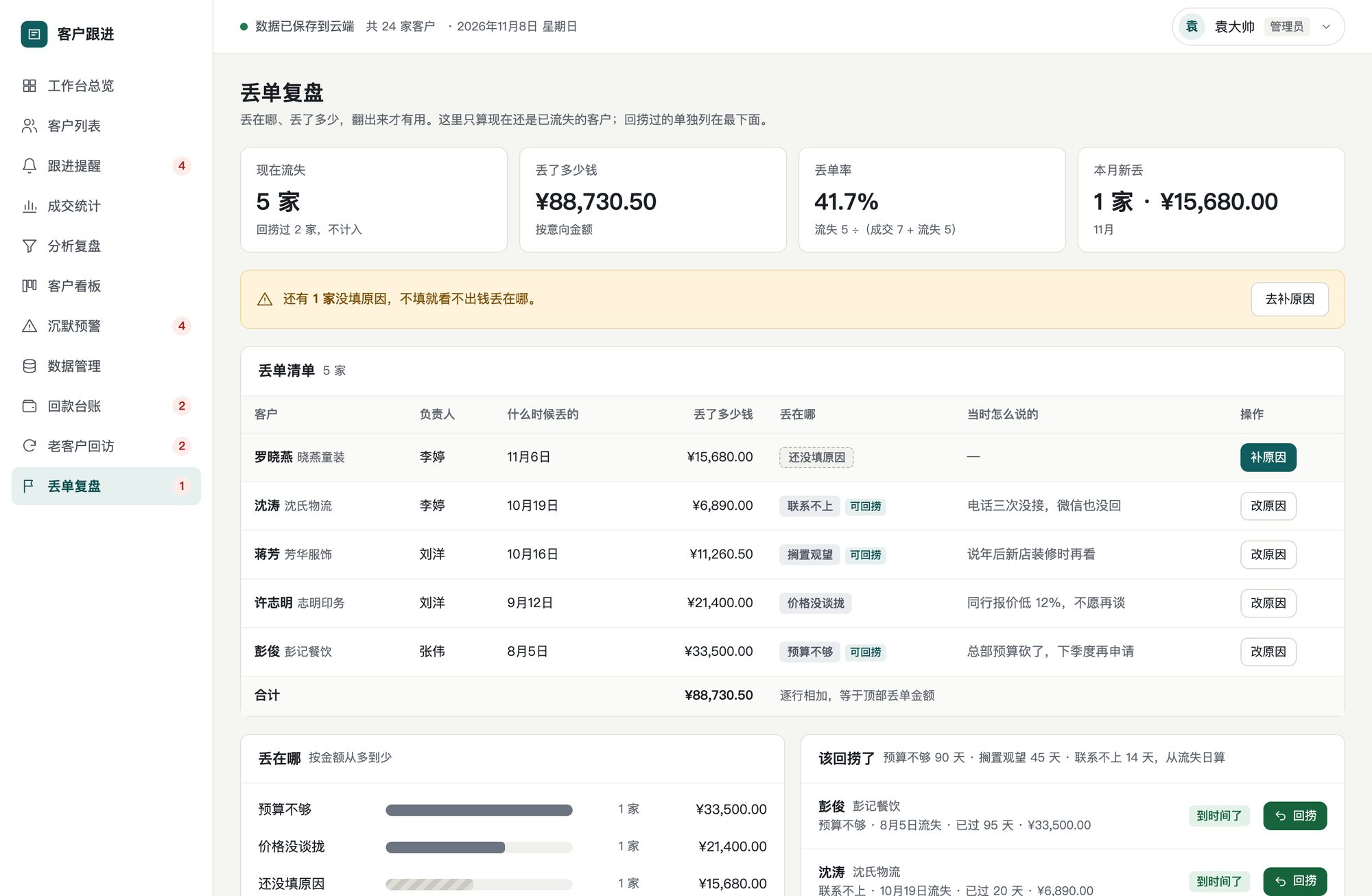
Know where and how much you lost
Seven fixed reasons, ranked by amount. Reasons worth a second try are flagged once the wait is over.
- Budget 90 days, on hold 45, unreachable 14
- Reviving does four things in one step
- Row totals always equal the headline figure
Bring your customers in today
Create an admin, add your team, and paste your existing customer list straight from Excel.